Contact
Tell us about your store.
Self-serve plans have published monthly prices, listed here. If you run several locations or need something custom, tell us what you sell and where, and we will come back with a walkthrough and a price for your setup.
Send us a message
A real person reads every one of these.
- No setup fee
- US$0. Sign up, pick a plan, and your account activates immediately — nothing to pay before you start.
- Monthly plans, invoiced after each month
- Starter US$15, Growth US$39, Scale US$69, Standard US$99 and Premium US$129 a month, plus applicable tax. Your plan is invoiced at the end of each month you use BestWebby, and each invoice is due 15 days after we send you the payment link. You can pay each invoice from the link, or save a card in Billing to pay automatically.
- Unlimited products, every plan
- List as many products as you have. What changes between plans is the number of storefronts, team seats, and content generations — never a cap on your catalogue.
- If an invoice goes unpaid
- We remind you before it is due. If it is still unpaid 15 days after the payment link was sent, the account is switched off and your storefronts show that the store is temporarily unavailable. Paying what is overdue switches it back on automatically. Our Merchant Terms allow us to permanently delete an account that stays switched off for 30 days, and we warn you 14, 7 and 2 days before.
- One bill for everything
- The storefront, the registers and the dashboard sit under the same monthly fee. Nothing is priced per order, per channel or per register — opening a second till adds no line to it.
- 0% added transaction fees
- You connect your own Stripe account and the charge is made on it. We never take a percentage of a sale, and we do not mark up the processing rate you negotiated.
- Larger setups are quoted
- Several locations, a large team or an Enterprise agreement (Enterprise lists at US$299 a month and is set up with our sales team): tell us what you run and we quote against that, and we tell you plainly which plan the capabilities you asked about are included from. An approved quote is sent as a payment link with the quoted monthly price.
- No lock-in
- Your domain, your gateway and your data stay yours. One action in Settings writes every record we hold for your store to a single archive, with CSV for the catalogue, customers and orders alongside it. Leaving is a decision, not a rebuild.
Already a customer with something broken? Send it through the same form — it reaches the same inbox.
What happens next
Three steps, no sales theatre.
No pressure sequence, no drip campaign, and no demo you have to sit through before anyone will quote you.
Tell us about the store
What you sell, where you sell it, how many locations and staff, and what you are running today.
We reply within one business day
With a walkthrough of the parts that matter to you, honest answers about what is and is not built yet, and a price for your setup.
You move at your own pace
Import the catalogue by CSV, build the storefront and run a test purchase through it before you touch DNS — your current store keeps selling until you point the domain across.
Before you write
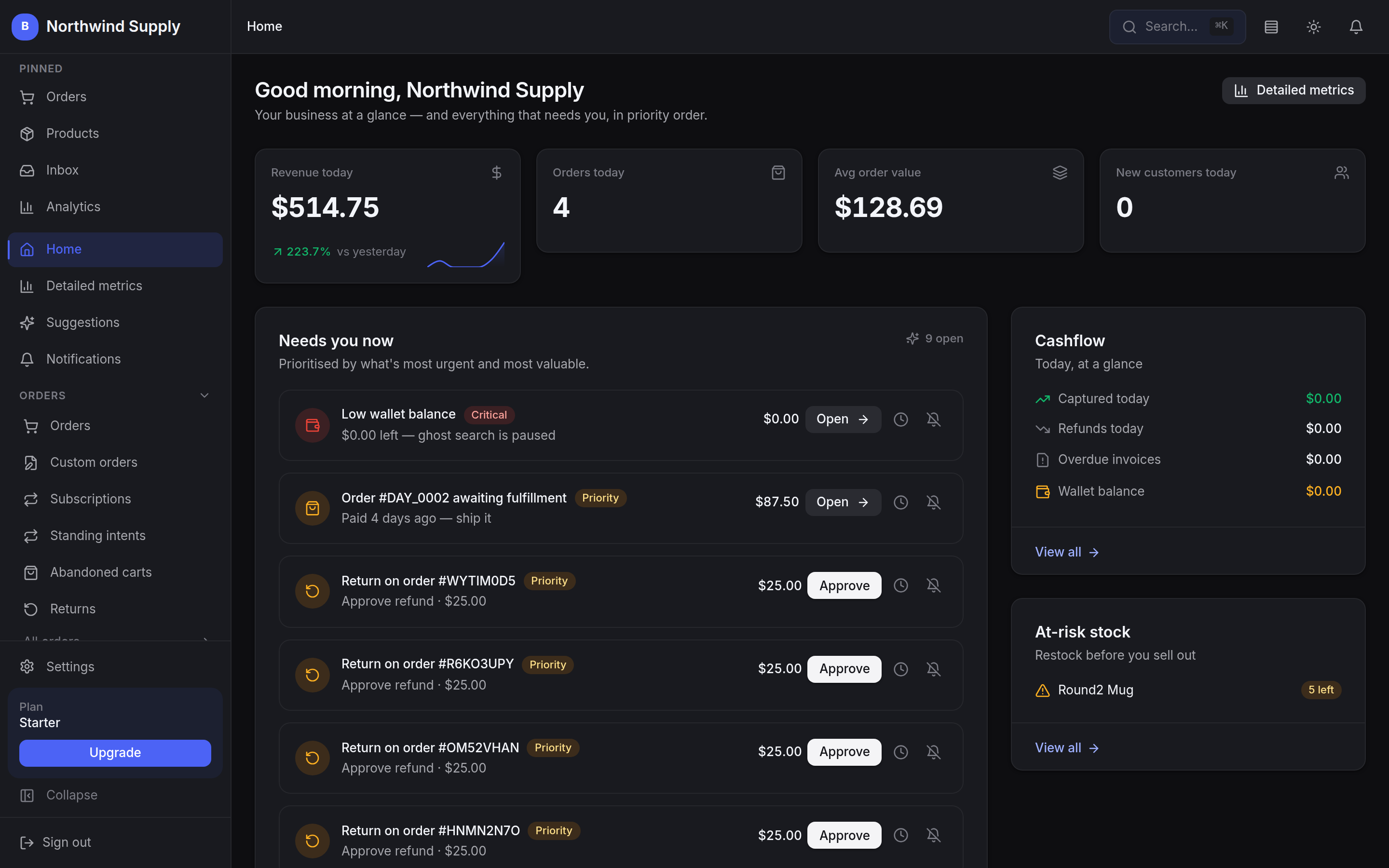
This is the actual dashboard.
Not a mockup and not a marketing render — the merchant dashboard as it ships, with the queue of what needs you today at the centre of it. Have a look around before you decide what to ask us.