Who it is for
Built for merchants whooutgrew their tools.
From a single shop with a website to a multi-location operator running wholesale on the side. Below is where BestWebby fits, described by what the platform does rather than by who else uses it.
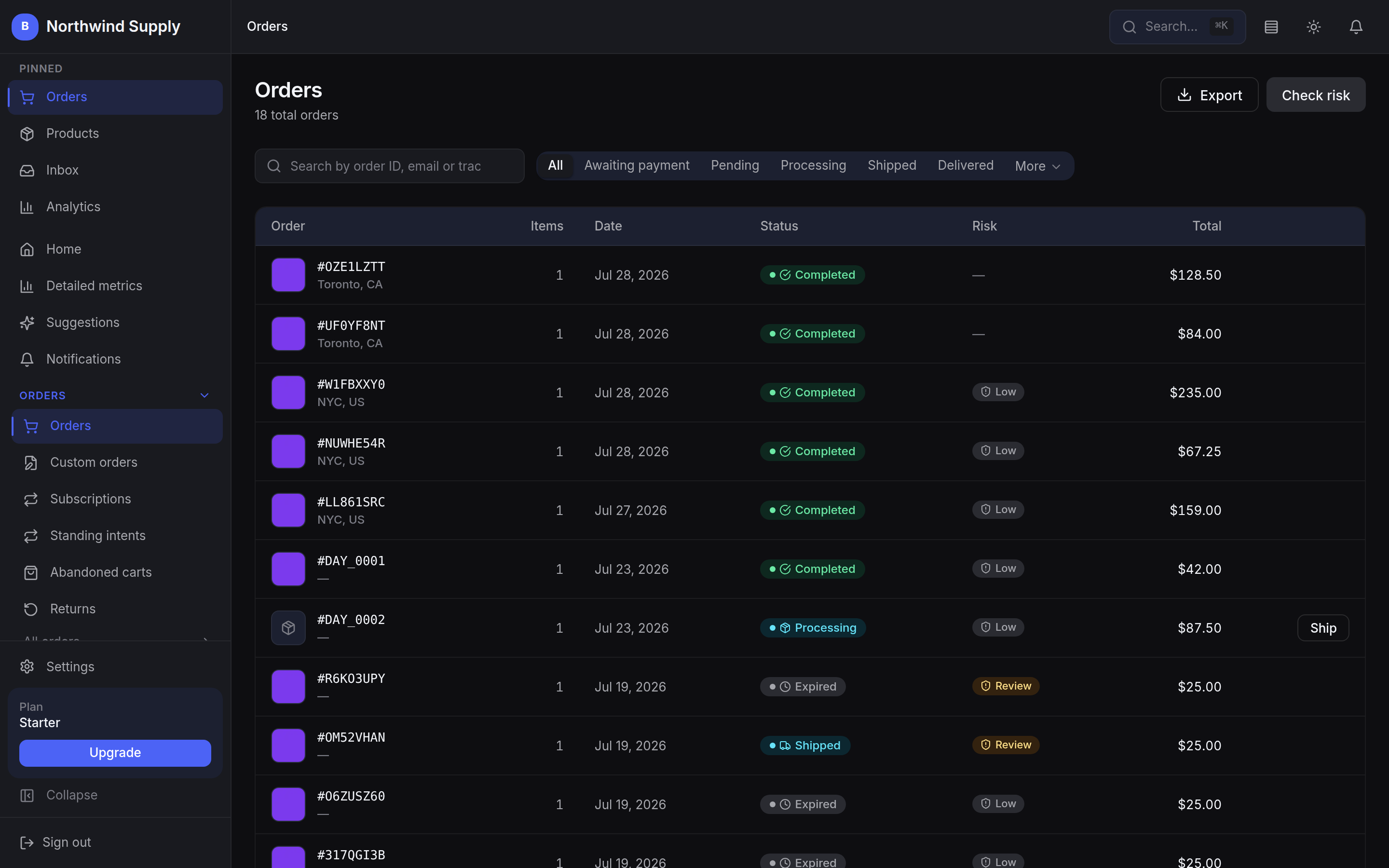
Every screenshot below is the real dashboard, not an illustration
A note on proof
There are no logos on this page.
We do not publish customer names, quotes or numbers we cannot attribute, and we will not until merchants have agreed in writing to be named. Until then the honest proof is the product itself — and every claim on this page is something you can ask us to show you, live, on a call.
Where it fits
Six situations this was built for.
If one of these reads like your week, the platform was designed around exactly that problem.
Multi-channel retailers
Sell from one catalogue across the storefront, the register and connected channels, with stock and orders kept in step by the platform rather than reconciled by hand at the end of the week.
Storefront and register on every plan; connecting sales channels is on Scale.
Inventory-heavy operations
Stock moves in the same transaction as the sale, wherever the sale happens, so two channels cannot both sell the last unit. Reorder suggestions come from your own sales history rather than a flat threshold.
Inventory, purchasing and suppliers are on the Growth plan and above.
Regulated and food merchants
Recall management freezes affected lots across the storefront and the registers at once, cross-references the customers who bought them, and emails each one a notice they can acknowledge from your own storefront.
The recall workflow is on the Scale plan.
Fashion and apparel
Fit Studio lets shoppers measure themselves at home with their own phone or laptop camera, guided step by step, or with a tape measure. Clothing gets a Will it fit me? button automatically, with a suggested size from your size chart or, until you add one, from typical sizes, clearly labelled. Made-to-measure or alteration orders arrive with the measurements on the order line. Measuring happens on the shopper’s device: no photo or video is recorded or sent, only the numbers they confirm.
On every plan. Camera measurements are estimates, usually within 3 to 5 cm, each shown with its range; a tape measure is more exact.
Migrating from another platform
CSV import accepts an export from Shopify, WooCommerce or anything else that produces a CSV. It reads the headers, proposes the column mapping for you to correct, and brings across names, descriptions, prices, SKUs, barcodes, stock and image URLs.
A Shopify export arrives with its options and variants grouped into one product; other files come in one product per row. A WooCommerce or Shopify store can also be connected and its products pulled in, each with its main price, not its variants, so a full migration is the CSV.
Teams that want fewer tools
Storefront, point of sale, appointment booking, order channels, marketing and reporting in one product, so a small team can run an operation that would otherwise need a stack of separate subscriptions to hold together.
Appointment booking is on the Growth plan and above.
Data-driven operators
Revenue, margin and stock are computed from the same records everything else writes to, so there is one number for each of them and no reconciliation step before you can act on it.
Sales and conversion reporting are on every plan; cohorts and retention analysis need Growth.
What that looks like
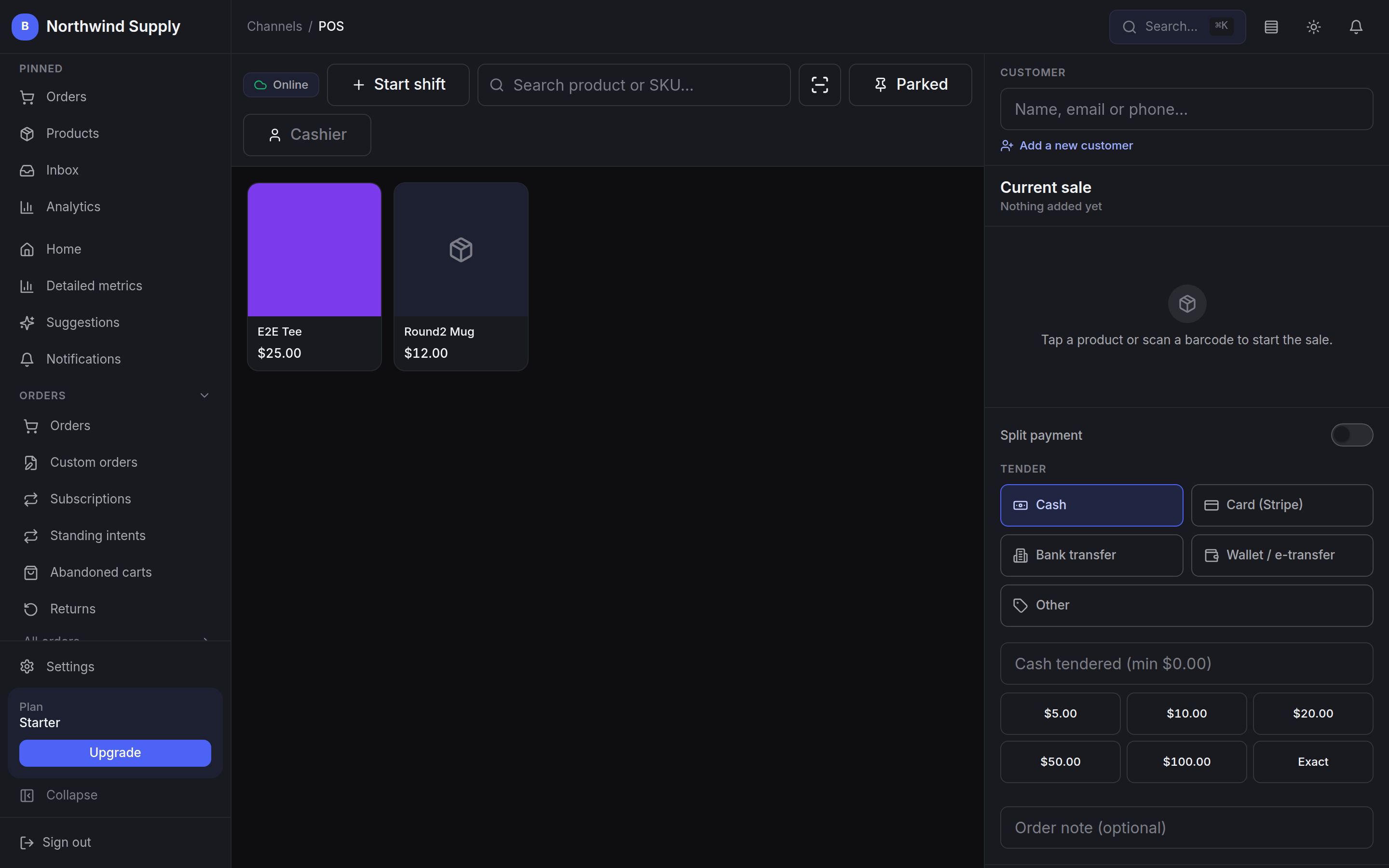
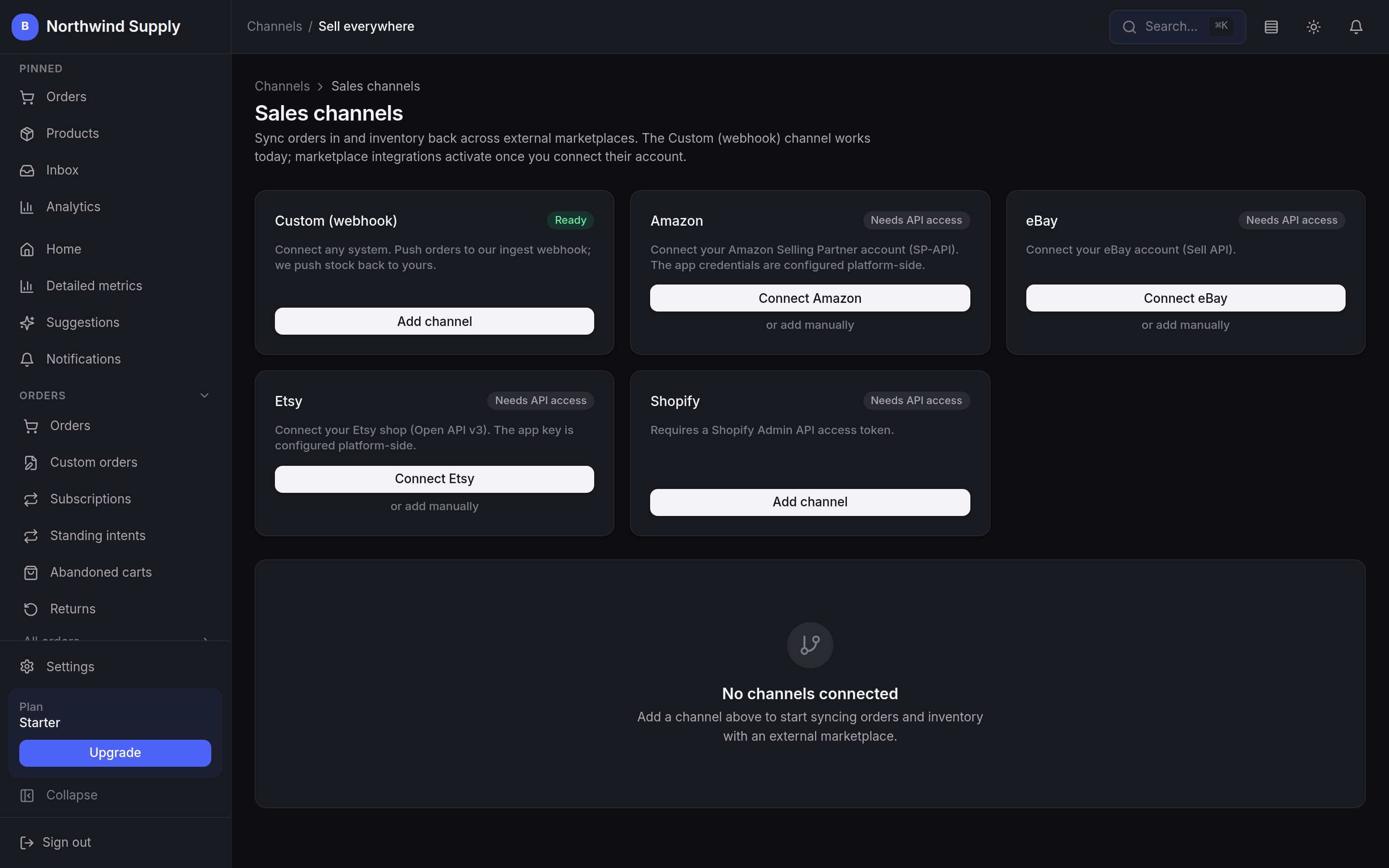
The register and the channels, as they ship.
Two of the surfaces a multi-channel merchant lives in. Both run on the same catalogue and the same stock as the storefront.
Is it for you
Five sentences. Count the true ones.
A more useful test than a testimonial from a business that looks nothing like yours.
- Your website and your register disagree about how much stock is on the shelf.
- Orders arrive from more than one place and someone reconciles them by hand.
- A platform takes a percentage of every sale, on top of what your processor charges.
- Adding one more capability means adding one more subscription.
- You need to know who changed a price, and when, without asking around.
Three or more, and the conversation is worth having. Fewer, and we will tell you so rather than sell you a migration you do not need.
However you sell
- Fashion & Apparel
- Furniture & Home
- Electronics
- Food & Beverage
- Health & Beauty
- Sports & Outdoors
- Jewellery
- Automotive
- Art & Crafts
- Books & Media
- Toys & Kids
- B2B Services
- Real Estate
- Travel
- Other
You pick one of these at signup, “Other” included. It is context rather than configuration: it tells the platform what kind of shop it is drafting storefront copy and suggestions for. Nothing is locked to it, and nothing else about the platform changes with it.
Tell us how your store actually runs.
Channels, locations, registers, the spreadsheet holding it together. We will walk the platform through your setup and be straight with you about the parts that are still rolling out.