Point of sale
A register that earns its place on the counter.
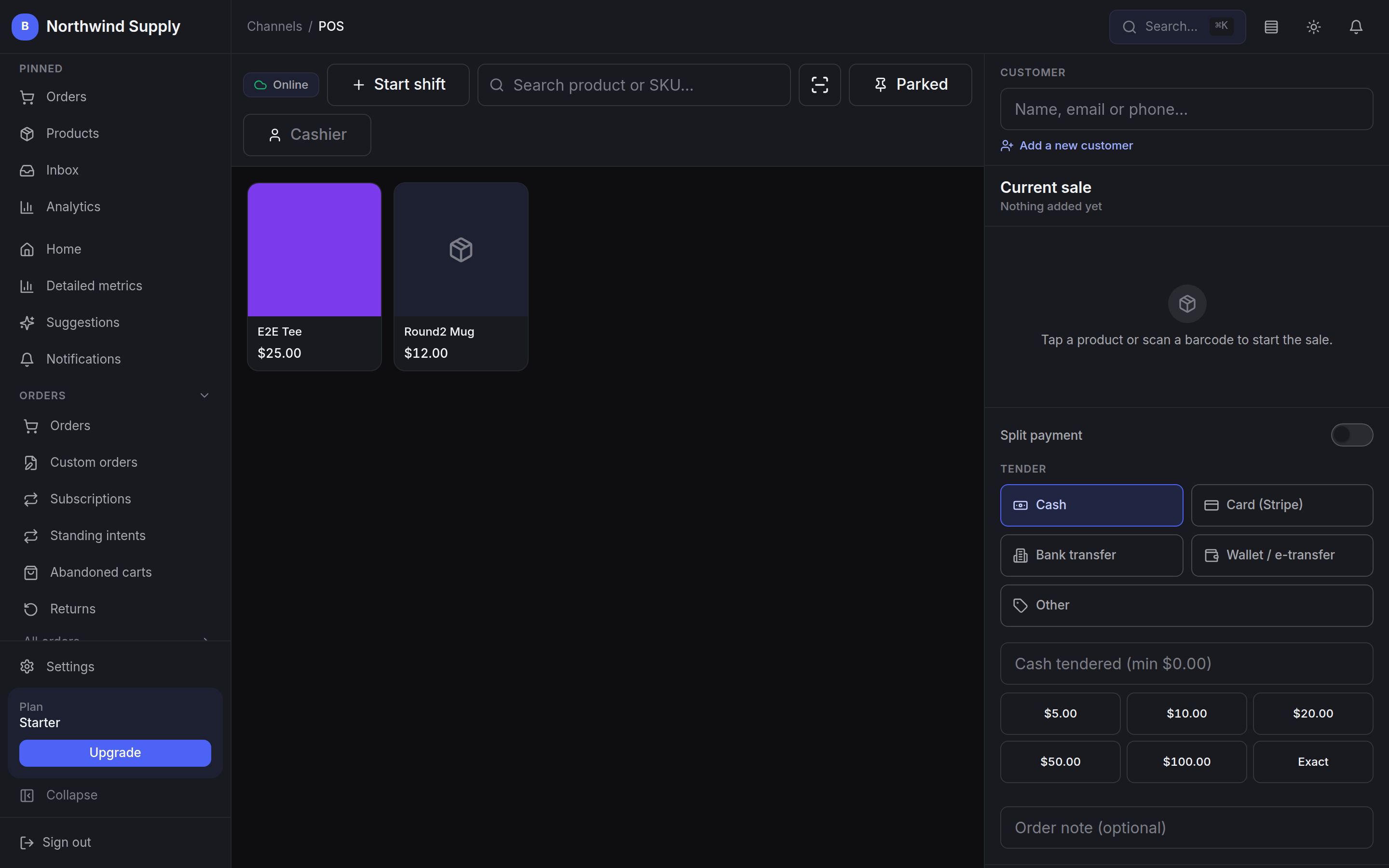
Most systems on a shop counter are built to take a card and print a receipt. This one is built to run a shift — with the customer attached to the sale, every sale attributable to the person who rang it, and enough resilience to keep trading when the connection does not.
- Catalogue and stock
- One
- The register sells exactly what the storefront is selling
- Tenders on a single sale
- Split
- Cash, card or bank transfer, in any combination
- Attribution on every sale
- Per-PIN
- Each cashier clocks in under their own PIN
- Cash sales keep ringing
- Offline
- Recorded locally, synced when the network returns
Built for the shop floor
The counter is where the relationship happens.
A till that treats every buyer as an anonymous transaction throws away the one moment you have with them in person.
Loyalty lives in a second system. History lives in a third. The drawer is counted on paper, and when it is short there is no way to tell which shift it went missing on. Meanwhile the connection drops and trading stops altogether.
BestWebby POS starts from what a shop actually needs to run a tight floor: know the customer, keep staff accountable, count the money properly, and keep selling when the network has other ideas.
What that means at the till
- Customer lookup by name, email or phone
- Their points balance and lifetime spend on screen
- Split payment across several tenders
- Gift cards redeemed against the sale
- Park a sale and come back to it
- Per-cashier accountability
- Cash drawer counted in and out
- Installs on the tablet you already own
The register runs on the same catalogue, stock and customer records as the storefront — there is no nightly sync to go wrong. Loyalty points and gift cards come with the Growth plan; everything else on this list is on Starter.
Everything a shop needs
The detail that decides whether staff will use it.
The register itself is on every plan, Starter included, and nothing here is metered per sale or per till. Where an item leans on something that needs a higher plan, the card says so.
Customer lookup at checkout
Search by name, email or phone and attach the customer to the sale without leaving it. Their loyalty points balance shows in the results and their lifetime spend once they are attached, and the sale earns them points as it completes.
Loyalty is on the Growth plan and above; the register itself is on every plan.
Split payments
Take any combination on one sale — part cash, part card, part bank transfer. Each leg is recorded separately and settles cleanly into the reconciliation report.
Hold and park sales
Park the current cart, serve the customer behind, then pick the first one back up. Queue as many parked sales as the shift needs; nothing is lost.
Employee PIN sessions
Every cashier clocks in with their own PIN, so each sale carries the name of whoever rang it. End-of-day reporting breaks down by employee.
Cash drawer reconciliation
Open the session by counting the float and close it by counting the drawer. Expected against actual is calculated for you, and a discrepancy is flagged rather than buried.
Offline resilience
If the network drops, cash sales carry on and are stored locally, then sync the moment you are back — idempotently, so a replayed queue cannot double-record a sale. Card payments need a connection to authorise, so a card sale is completed on the reader once you are back online.
Nothing is authorised locally and no card is charged later — an offline card sale is finished on the reader, not in the queue.
Gift cards at the till
Scan or type the code and the balance is applied to the sale before any other tender, with whatever is left over taken as cash or card. The debit is atomic, so the same card cannot be spent twice on two registers.
Gift cards are on the Growth plan and above.
Stripe Terminal, set up in-app
Register readers, label them by location and set a default from inside BestWebby, then pair by device name on the register. No trip to the Stripe dashboard.
Installs on any tablet
Add the register to the home screen like a native app. A service worker caches the critical assets, so it opens fast and survives a flaky connection.
No proprietary hardware to buy or lease.
A shift, end to end
Open the drawer, trade, count out.
The whole day on the register, in the order it actually happens.
- 01Open
Start the shift
The cashier clocks in with their PIN and counts the float into the drawer. The session is now attributable — every sale from here carries their name.
- 02Sell
Ring the sale
Scan or tap products, pull up the customer for their points balance and lifetime spend, then take the tender — one method or several. Stock moves as the sale completes.
- 03Juggle
Park and resume
A customer goes back for another size, so the cart is parked and the queue keeps moving. It is still there, intact, when they return.
- 04Close
Count out
At close, the drawer is counted against what the session expected. Any variance is flagged on the spot instead of surfacing in a month-end spreadsheet.
Every one of these steps writes to the same ledger the storefront and the dashboard read from, so the day’s takings need no reconciling between systems.How offline mode holds up
Turn the counter into part of the same system.
Add the register to a tablet you already own and it sells from the same catalogue, moves the same stock, and reports into the same numbers as everything else.