Sales channels
One catalogue. More channels as we ship them.
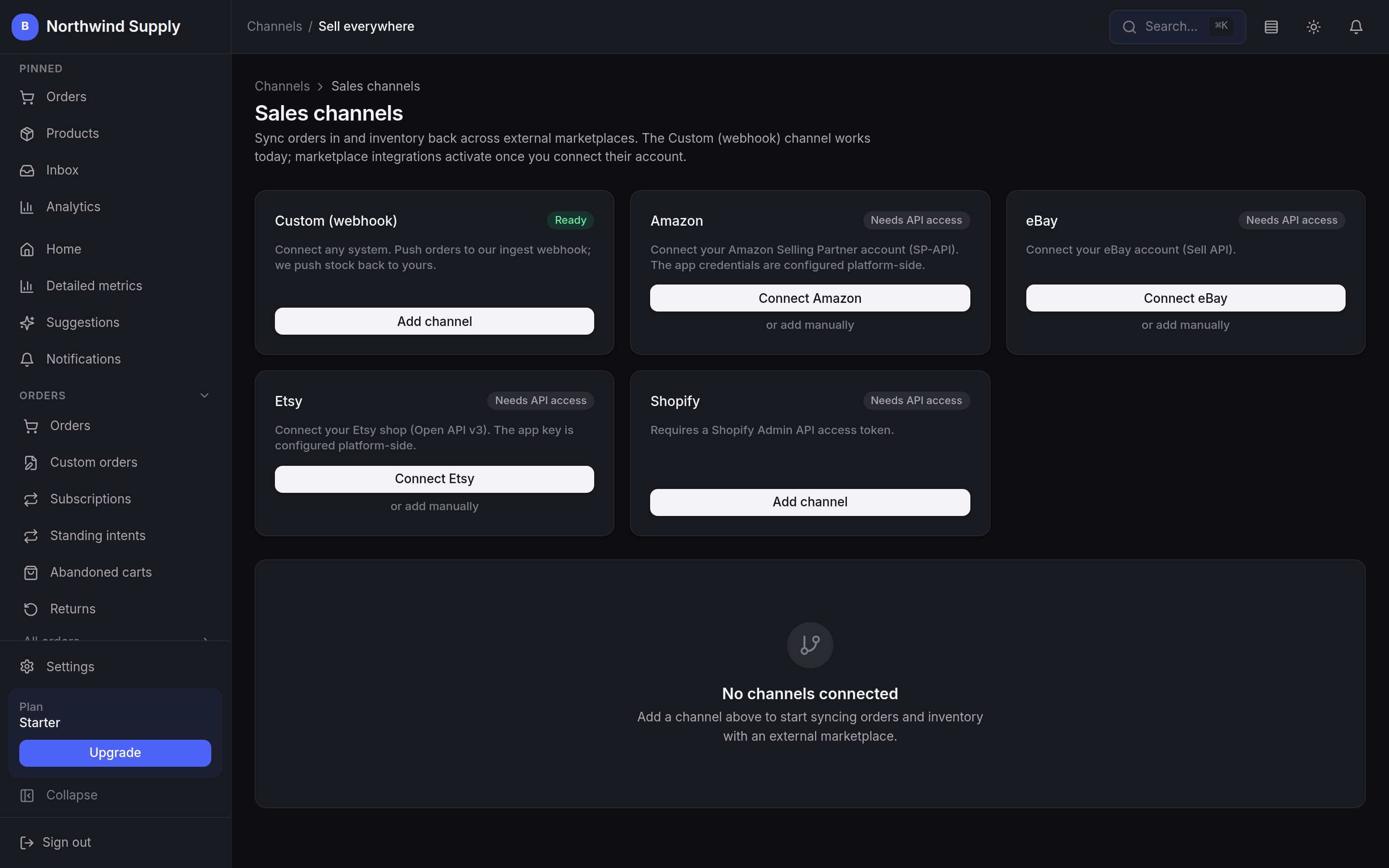
Bring orders in from any sales channel today through the custom webhook channel, and move your catalogue over by CSV. The Amazon, eBay, Etsy and Shopify connectors are built and sitting in the same screen, each waiting on your own marketplace API access — and rather than implying they are all done, this page tells you exactly where each one stands.
Connecting sales channels is on the Scale plan and above
- Custom webhook channel
- Live
- Hardened, idempotent, token-authed order ingest
- Catalogue behind every channel
- One
- Stock, pricing and content in a single system
- Catalogue import today
- CSV
- Shopify exports keep their variants; other files come in one product per row
- Connector status
- Honest
- Ready, needs your API access, or not started
What works today
A single source of truth, whatever sells the item.
Wherever an order comes from, it lands in the same order list, draws down the same stock and reports into the same numbers as a sale rung on the counter.
Orders from anywhere, in one place
The custom webhook channel takes orders from any external system today — a hardened, idempotent, token-authed ingest — and stock changes push back out to a webhook you configure.
The Amazon, eBay, Etsy and Shopify connectors sit beside it in the same screen, each waiting on your marketplace API access.
Inventory lives in one place
Your BestWebby catalogue is the source of truth for stock, pricing and product content, instead of a spreadsheet per channel. Inbound orders draw stock down oversell-safe.
You choose what lists where
A product is opted onto a channel one listing at a time, and each listing carries its own status — pending, active, error or ended — with the channel’s own item id once it has been pushed. Stock only pushes back to listings you have made active, so a channel never quietly starts selling something you did not put there.
Bring your catalogue by CSV
Coming from another platform? Import the catalogue by CSV today — including exports from Shopify, WooCommerce and BigCommerce. Columns are detected for you and every row comes in as a draft product to review.
Each row becomes one product; grouping size and colour rows into one product with options, and pulling the catalogue straight from those platforms’ own APIs, are roadmap items.
Connector status
Ready, nearly, and not started.
Three states, not two — because a connector that is built and waiting on your marketplace credentials is not the same thing as one nobody has written. Roadmap order is driven by what merchants actually ask for.
Ready
Use todayCustom webhook channel
Push orders from any external system into the ingest endpoint; stock changes flow back out to a webhook you configure. Marked Ready in the channels screen.
CSV catalogue import
Exports taken straight out of Shopify arrive with each product’s options and variants grouped; WooCommerce, BigCommerce and your own spreadsheets come in one product per row.
Google Business Profile
Connect your Business Profile to the store.
Built, in development
Needs API accessAmazon
Selling Partner API. Connect with your own seller account; listing push is still a stub.
eBay
Sell API. Orders pull and stock pushes; publishing a created offer is still to verify.
Etsy
Open API v3. Receipts come in as orders, listings and stock go back out.
Shopify
Admin API on a custom-app token. Multi-variant and multi-location push are follow-ups.
Not started
Not yetMarketplaces
- Walmart
- Wayfair
- Fruugo
Social commerce
- TikTok Shop
- Instagram Shopping
- Facebook Marketplace
Wholesale & B2B
- Faire
- Ankorstore
Specialist
- Reverb
- Depop
Nothing in the third column is sold as though it were in the first, and the middle column is not sold as finished. A connector moves left when it earns it.Tell us which channel you need next
Live shopping
Sell from a stream on your own storefront.
Go live on your own site with the products you have pinned sitting beside the video, each one a tap away from its product page, and a chat running alongside.
It runs on LiveKit and becomes available once your streaming service is connected. Because it is part of the platform rather than an app on top of it, there are no per-stream fees layered onto the subscription. It is on the Growth plan and still rolling out, so talk to us before you plan a launch around it.
What the stream can do
- Pinned products in a grid beside the video, with price
- A buy link on each one, straight to its product page
- Live chat running alongside the stream
- Orders land in the same order list as everything else
- No per-stream fee on top of the subscription
Your stock should not live in a spreadsheet.
Start with the storefront and the register on one catalogue today, bring other systems in through the webhook channel, and add marketplace connectors as they ship.